 Sokira
Say it out loud.
ADHD makes the inner voice that plans and motivates harder to reach. Speaking to a companion puts that voice outside your head, where it can actually help.
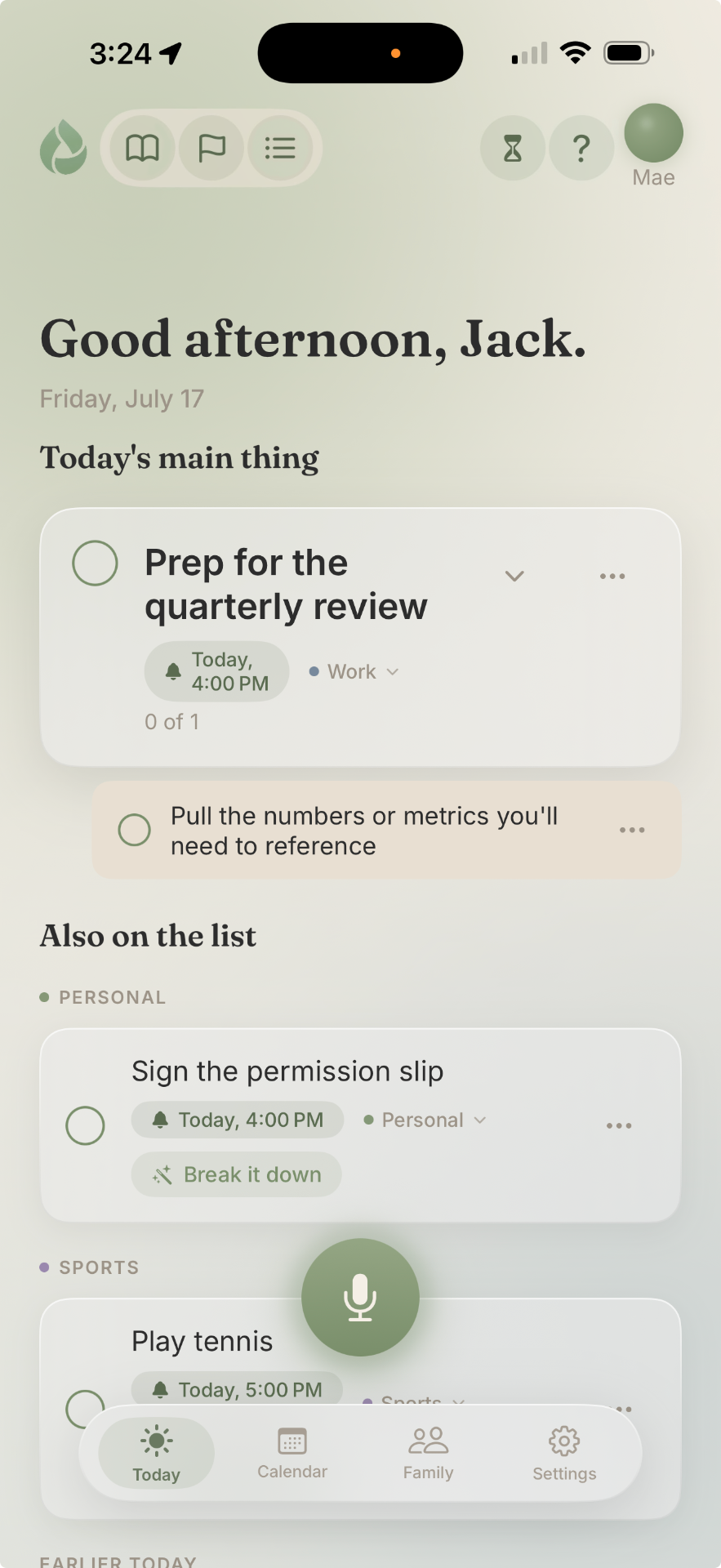
Open Sokira and there is one task waiting. One first step. And Mae, ready to begin it with you.
Quick capture
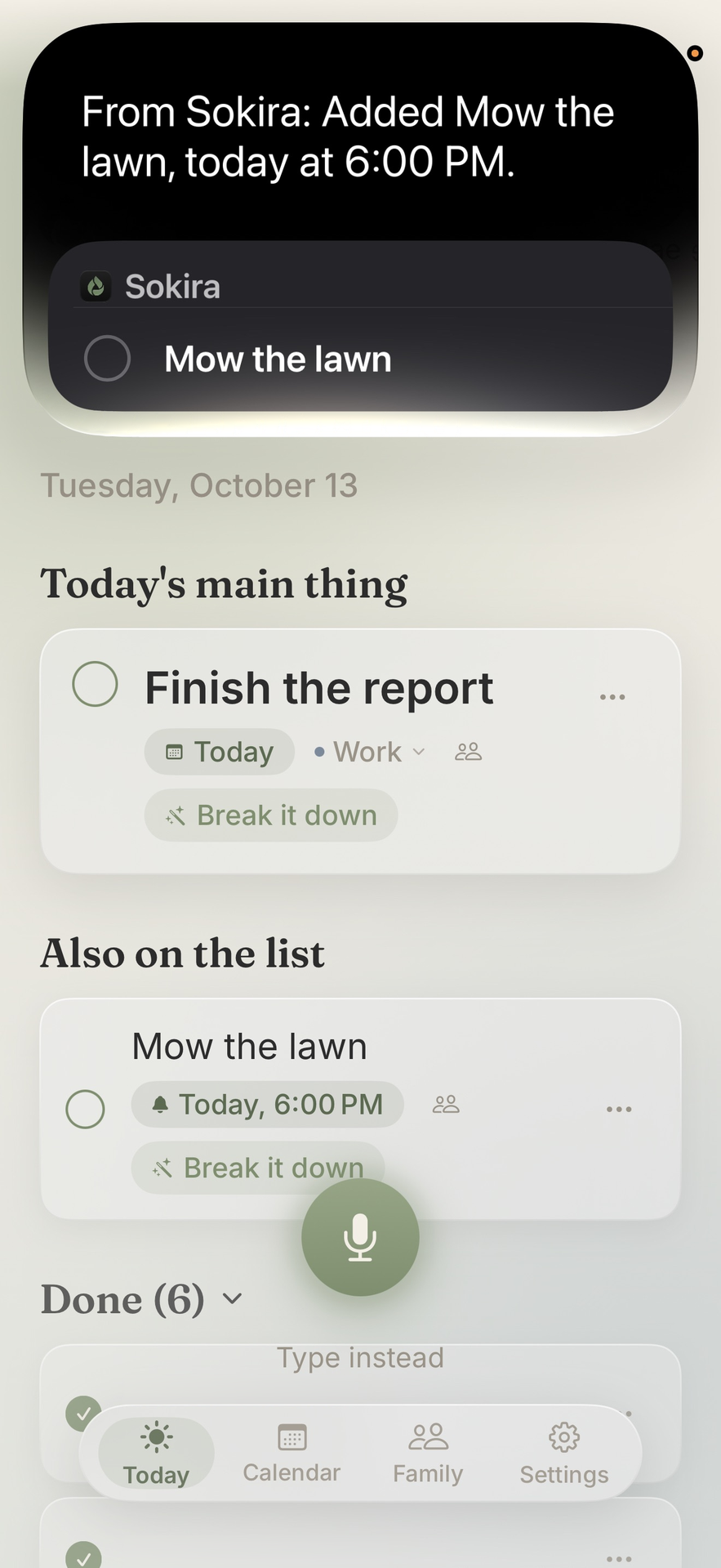
Add to Sokira without opening it, even with your phone locked.
“Add mow the lawn at 6 PM in Sokira.”
Say "Hey Siri" or hold the side button, then say one of these.
“Add oat milk to The List in Sokira.”
It goes on the List. Say "The List," or it lands on Today.
“Create a reminder in Sokira.”
Siri asks what to add.
Keep it short: the thing, the time, then "in Sokira."
Adding with Siri needs iOS 27 or later on an iPhone with Apple Intelligence. Reminders need Sokira's notifications turned on.
The hard part
For ADHD brains, the gap between intention and action is real, and it isn't laziness. Sokira meets you in that gap, gently, and helps you take the first small step.
Why it works
Sokira is not therapy and never pretends to be. It simply takes the everyday strategies that help ADHD brains most, and makes them effortless.
ADHD makes the inner voice that plans and motivates harder to reach. Speaking to a companion puts that voice outside your head, where it can actually help.
Starting is easier when someone is with you. Sokira stays present while you begin, like a friend sitting beside you.
Motivation follows action, not the other way around. Sokira helps you find a first step so small it is hard to say no to.
ADHD motivation runs on interest, novelty, and a little challenge. Sokira frames your tasks the way your brain actually engages.
Getting started
Tap the mic and say what is on your plate today. No forms, no setup.
Sokira helps you name the one to three things that matter most today, and keeps you pointed at them.
Big task? Sokira offers a handful of ideas to get you going, you keep the ones that fit or add your own, and it stays with you while you start.
Voice-first
Sokira is not another list you have to manage. Talk like you would to a friend, and the app quietly handles the rest: it creates the task, breaks it down, schedules it, checks it off, and keeps your day pointed at what matters.
“I finished the dishes.”
Checked off, with a quiet little celebration
“Push mow the lawn to Saturday.”
Rescheduled, off today's plate
“Make the proposal my main thing.”
Front and center today
“Remind me tomorrow at 10.”
A gentle nudge, set
No dragging, no sorting, no fiddling with menus. Saying it is doing it.
What's inside
To-dos for today. The List for someday. Goals for the bigger picture. And a private journal for whatever is on your mind. In every one, you can say it or type it.
Just say it. It's handled.
Say what's on your plate and it lands on Today. Name a day or a time and it goes there instead. Pick one main thing to sit at the top, so the day has a center.
A list that never nags.
The calm, undated place for things to look into, buy, learn or just remember. A few words or a whole thought. Nothing on it has a date, so nothing on it nags.
Goals as a path, not a scoreboard.
The bigger things you're working toward. Say "My goal is to get in shape" and it's kept as a goal, never turned into a task and never scored.
A private journal, behind Face ID and your own journal code.
Empty your head, out loud or typed. Messy is fine. Open the book on Today, tap Empty your head, then tap to talk it out. Then find it again later. It's a notebook, not an assessment: no mood scores, no charts.
Your entries are kept on your iPhone, never stored on Sokira's servers, and never posted or sold. To write that one line back, the same AI behind your conversations reads the entry, and Sokira keeps a short note of it on your iPhone so your companion knows what you've been carrying. Back up my journal, in Settings, is on from the start, so your journal is part of your iPhone backup to iCloud or a computer. Turn it off and your journal is kept only on your iPhone, so it can't come back if the phone is lost or replaced. Delete my journal, also in Settings, clears every entry and asks you to confirm first. It's done by hand, and your companion and Siri can't do it. Tags and search stay on your iPhone.
Adding with Siri needs iOS 27 or later on an iPhone with Apple Intelligence. Real alarms need iOS 26 or later.
Companions
Four companions, each with their own real voice. Pick who fits your day, switch anytime.
Calm and steady; sits with you while you work.
Hi, I'm Mae. When a task feels too big to start, we'll break it into one small step, and I'll stay with you while you begin.
Warm and upbeat; celebrates the small wins.
Hey, I'm Jules! Need a nudge to get going? That's my favorite thing. Tell me what you've been avoiding and we'll make it feel light.
Clear and no-nonsense; keeps you moving.
I'm Coach. Working against a deadline? I'll set you a timer and help you name the first move, so it actually gets done.
Courteous and precise; lays out one small thing at a time.
Hi, I'm Butler. Courteous and precise; lays out one small thing at a time.
Privacy
Sokira uses AI to understand what you say, find the small first step, and take care of the organizing for you, in a real human voice. It never scores you, rates you, or compares you to anyone.
They are kept on the device, not stored on our servers. We never sell your data, and there are no ads. What you share with your companion is yours.
For families
Teens can use Sokira once a parent or guardian gives the go-ahead, and it stays private by design. Families can choose to share tasks and quiet wins with each other, and every share is the user's choice. A parent supports, never surveils. No dashboards watching their every move.
Pricing
7-day free trial with full access from day one. Then $99 a year, which works out to about $8.25 a month, or $14.99 monthly. Cancel anytime. A bad day never costs you anything.

Questions
No. Sokira is a supportive companion for focus and follow-through. It is not medical care, therapy, or a crisis service, and it never diagnoses anyone.
Not really. Tell Sokira what's going on and it builds the list, sets the day, and checks things off as you finish them. You can always tap and adjust by hand if you prefer.
Yes. Say "Add mow the lawn at 6 PM in Sokira" and it goes on Today. Say the words "The List" to send something to your List instead. It works with your phone locked, and Sokira lets Siri add things but never read out your day, your List or your journal. Adding with Siri needs iOS 27 or later on an iPhone with Apple Intelligence. Tap the ? on Today for the exact words.
Sokira uses AI to understand what you say and help you find a small first step, spoken in a warm, natural voice. Your conversations stay on your device, and we never sell your data.
Adults and teens 13 and up. If you're under 18, a parent or guardian okays it first.
Nothing breaks. There are no streaks to lose. You pick back up whenever you're ready.
No. Conversations are always private. Families only see the specific tasks or wins you choose to share, and you can change that anytime.
On your iPhone, never stored on Sokira's servers. When you write in your journal or talk to your companion, the AI reads it as text so it can reply, and your goals, your List and the short notes from your journal go along so your companion can keep them in mind. If you back up your iPhone to iCloud or a computer, they're part of that backup, and you can keep your journal out of it with Back up my journal in Settings. Your Today tasks are also kept with your account on our servers, so they can sync and be shared with family when you choose.